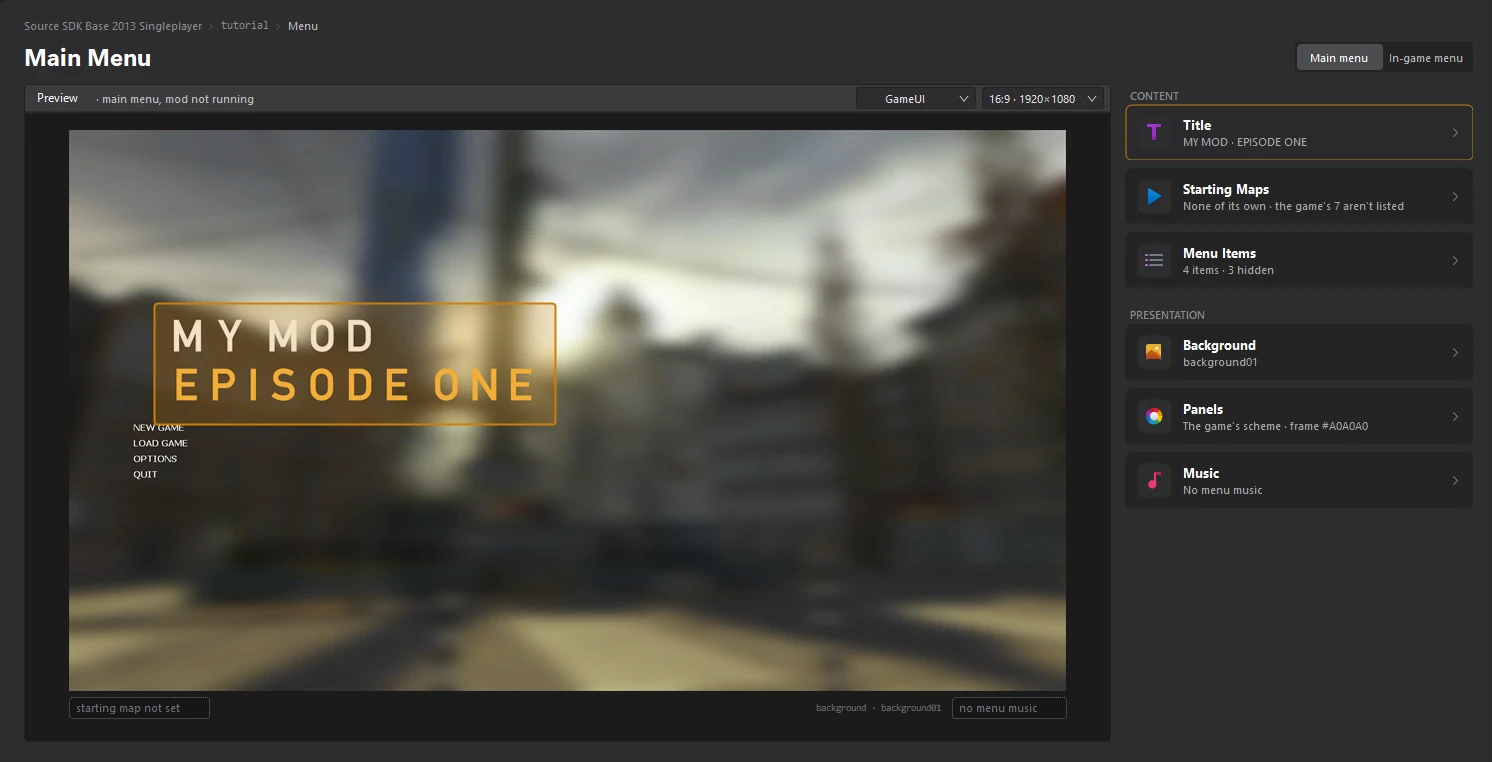
Customize the title
Written for version 3.0. Some labels may have changed since.
On this page
The title is the text on your mod's main menu. Source mods have two labels and an optional logo. You design them in the Title editor with a live preview, and the tool writes every file they need when you save.
1. Open the Title editor
Open the Menu dashboard and click the Title card. Pointing at the card outlines the title in the preview.
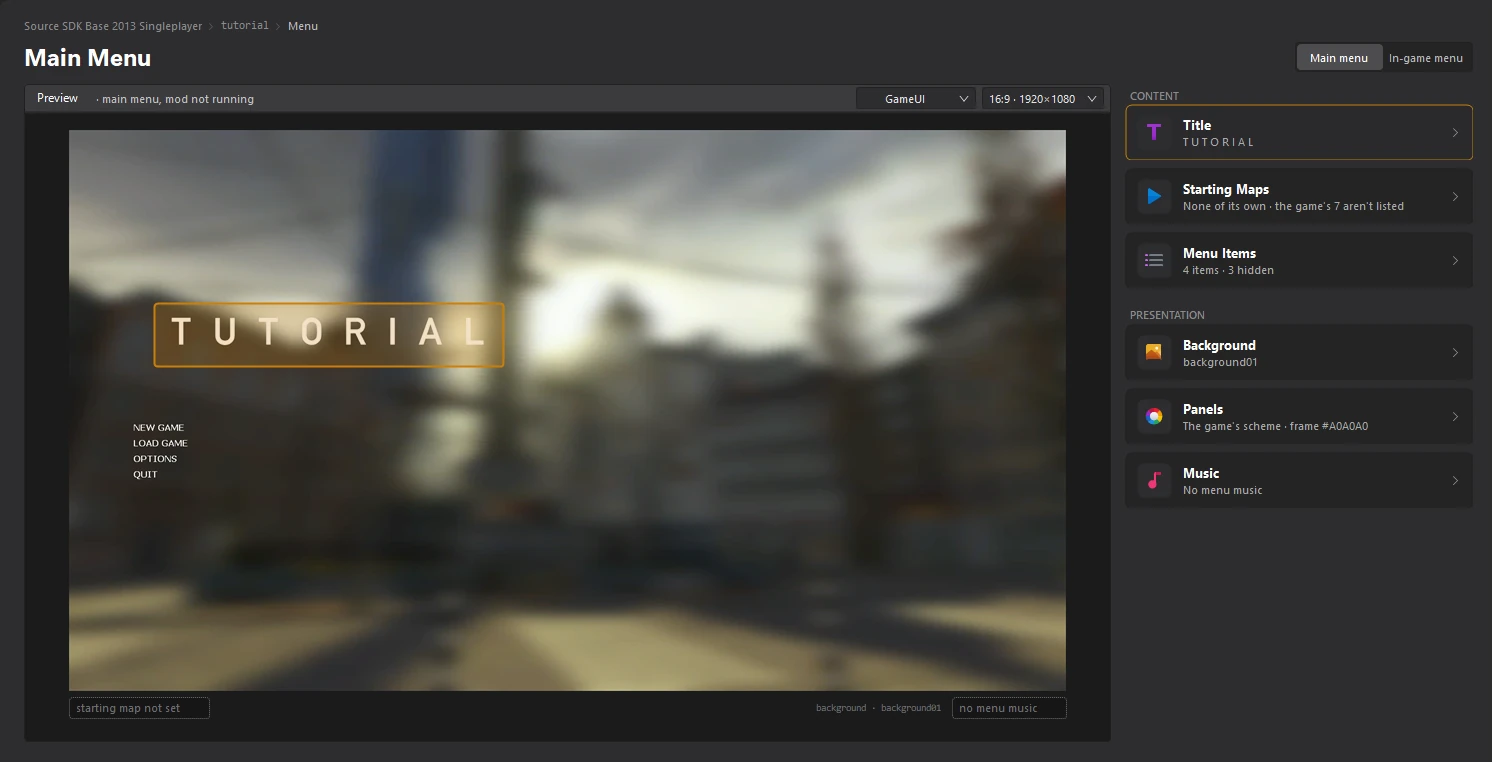
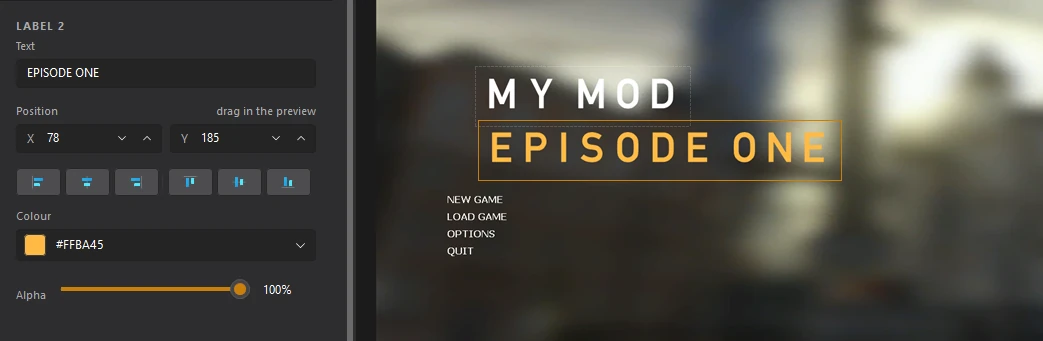
The editor lists the parts of the title under ELEMENTS: Label 1, Label 2 and Logo. The settings of the selected one are underneath, and the preview on the right shows the menu with your changes.
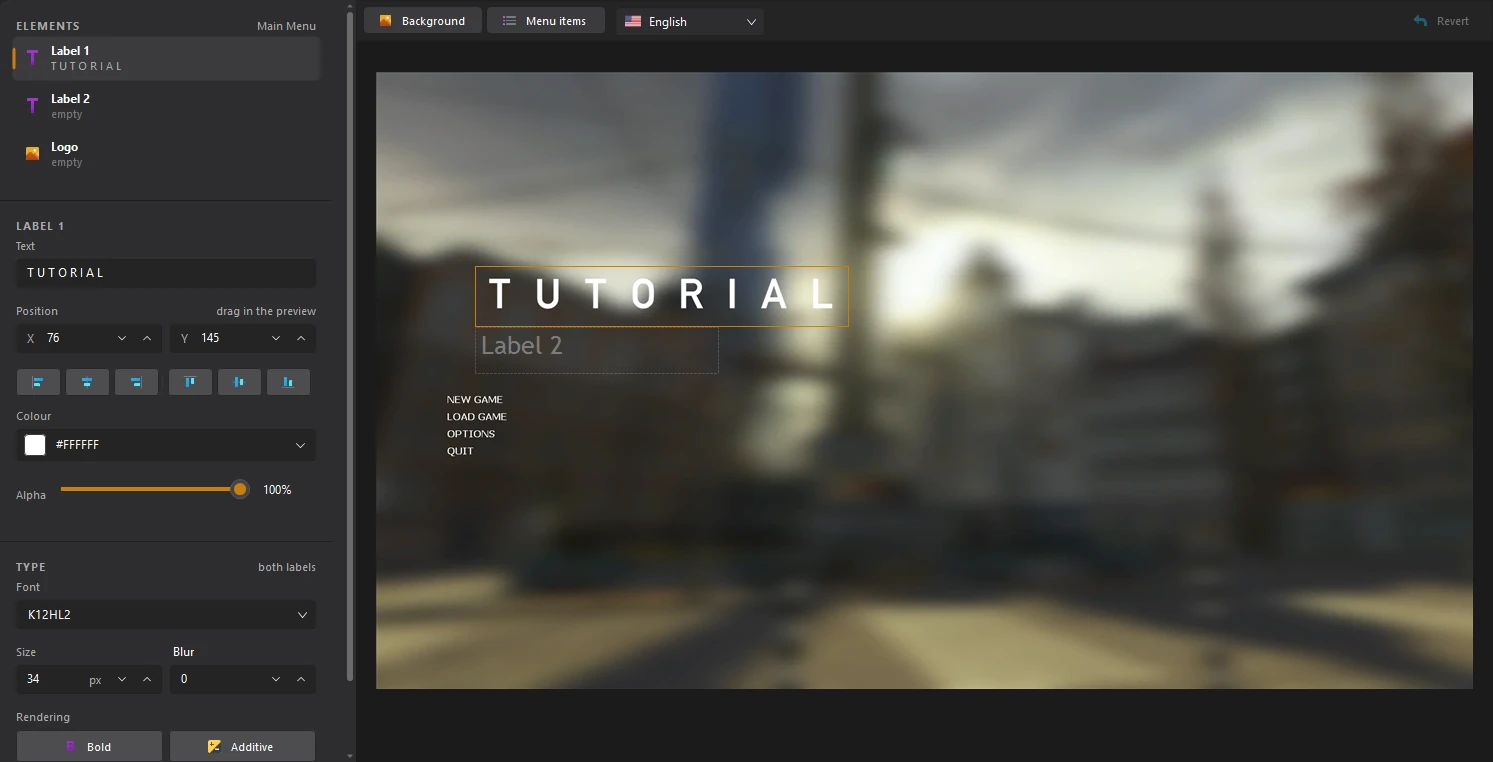
2. Type the title
Select Label 1 and type the title in the Text field. Then select Label 2 and type the second line, or leave it empty for no second line.
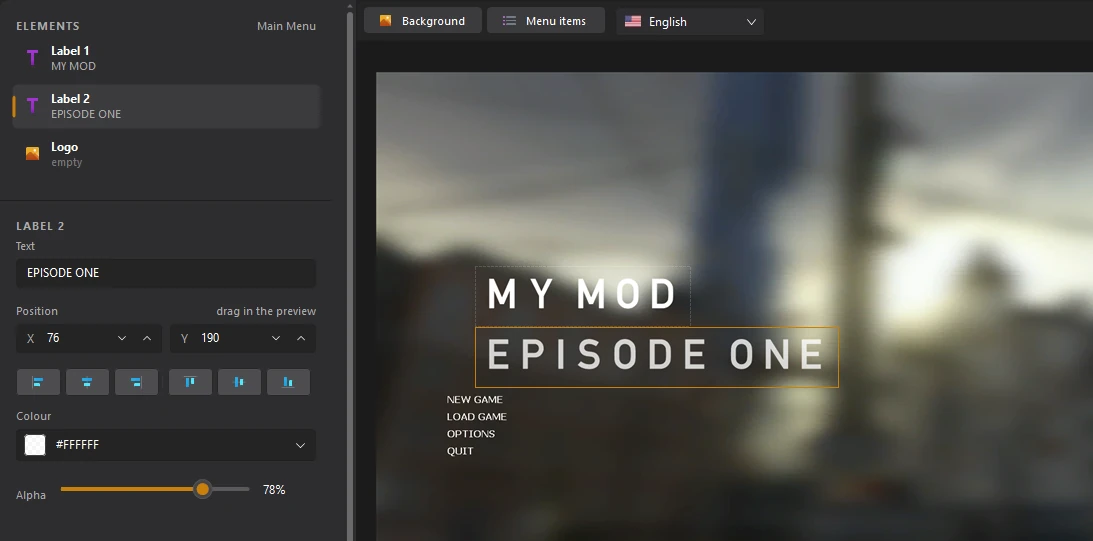
3. Place the labels
Drag a label in the preview to move it, or type its position in X and Y under Position. The buttons under the position line the label up with the left, centre or right of the menu, and with the top, middle or bottom.

4. Pick the colour
Click Colour to pick the label's colour, and drag Alpha to make it more or less see-through. Each label has its own colour.
5. Change the font
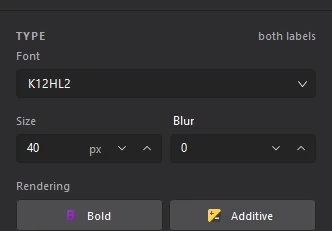
The TYPE section sets the Font, its Size and Blur, and the Rendering options: Bold, Additive, Anti-Alias and Drop shadow.
6. Add a logo (optional)
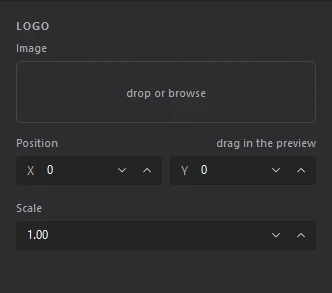
Select Logo to use a picture instead of, or next to, the labels. Click the Image box to import a picture, then set its Position and Scale.
7. Save the title
Click File > Save or press Ctrl+S. Back on the Menu dashboard, the preview and the Title card show your new title. Click Revert at the top right of the editor to throw away everything since the last save.